Cinelerra-GG Qt6 alpha: keyboard shortcuts can now be edited

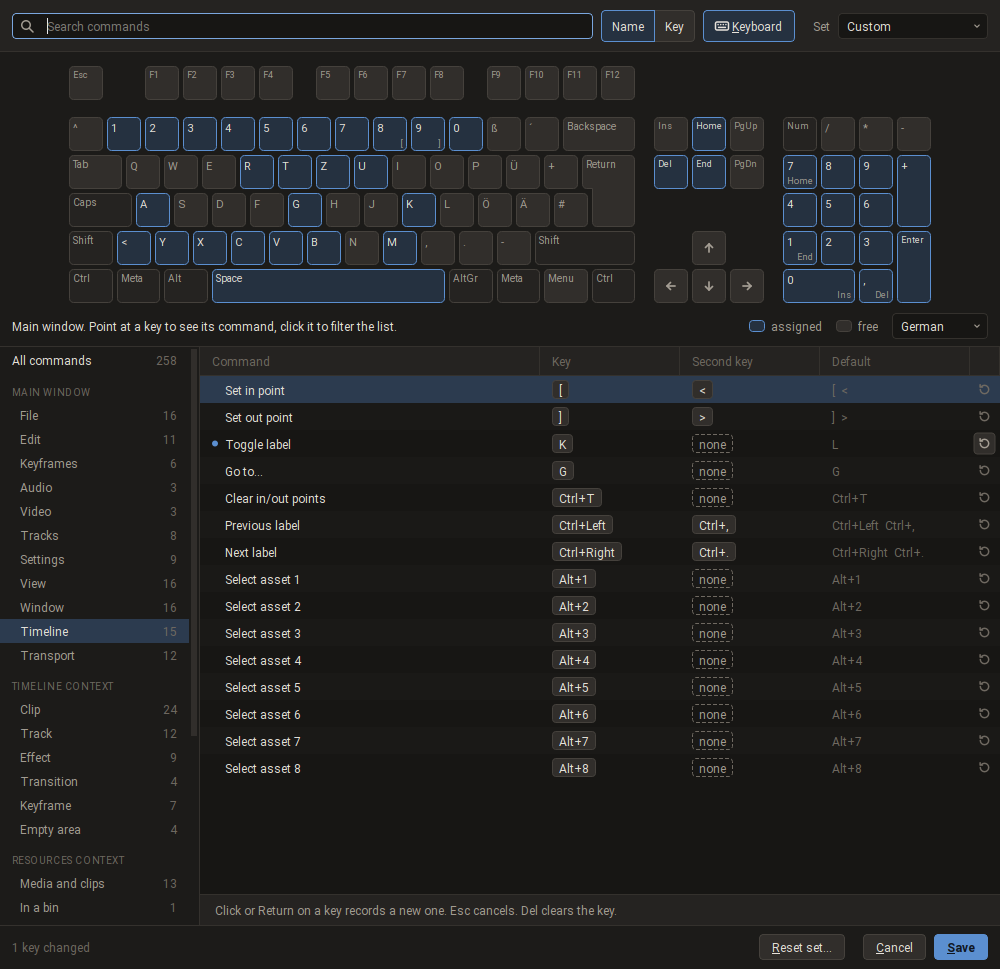
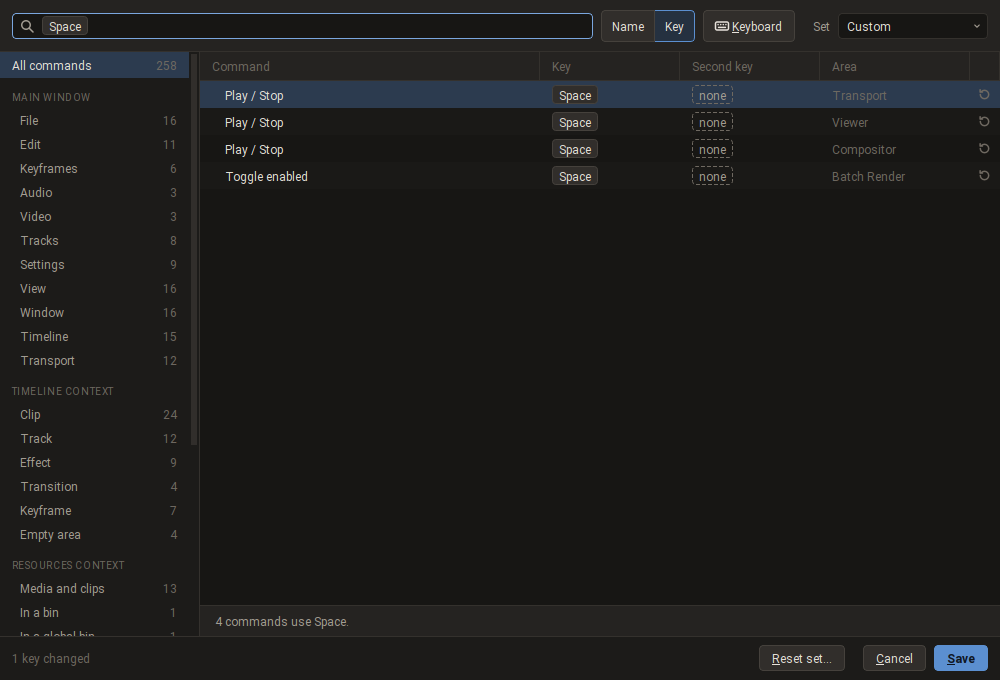
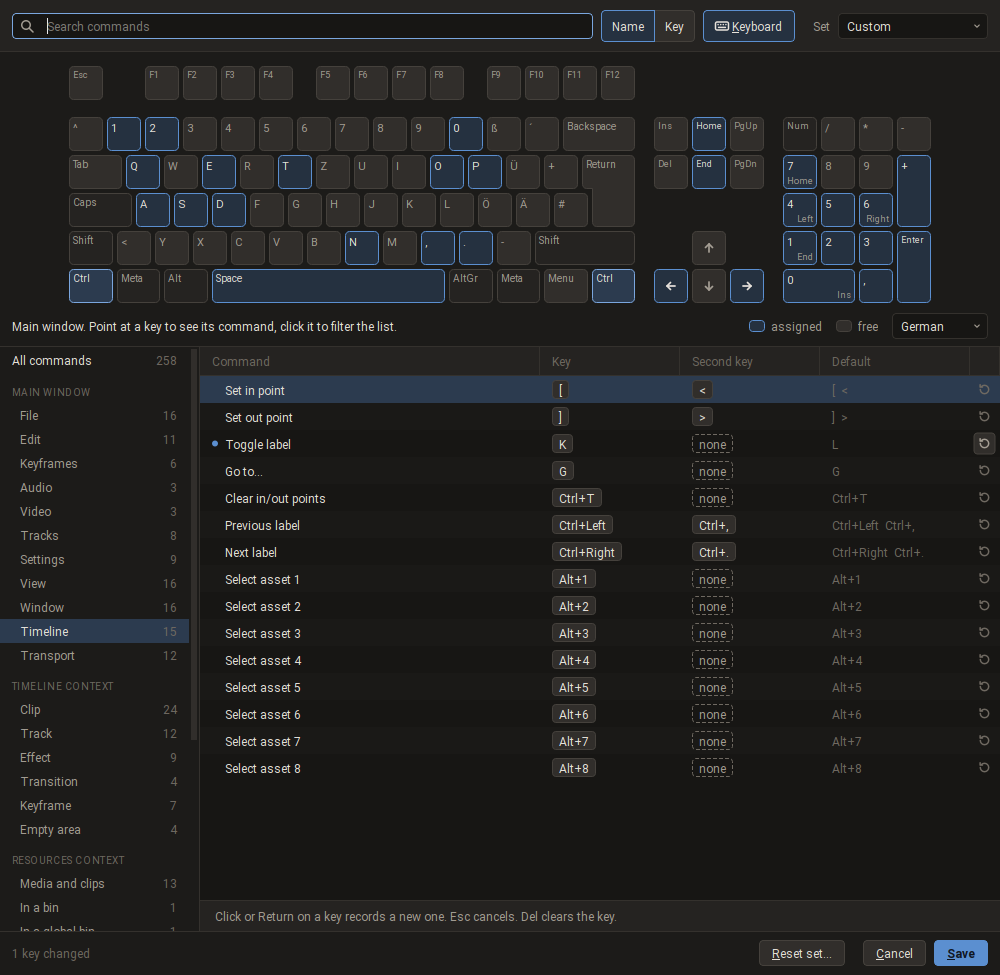
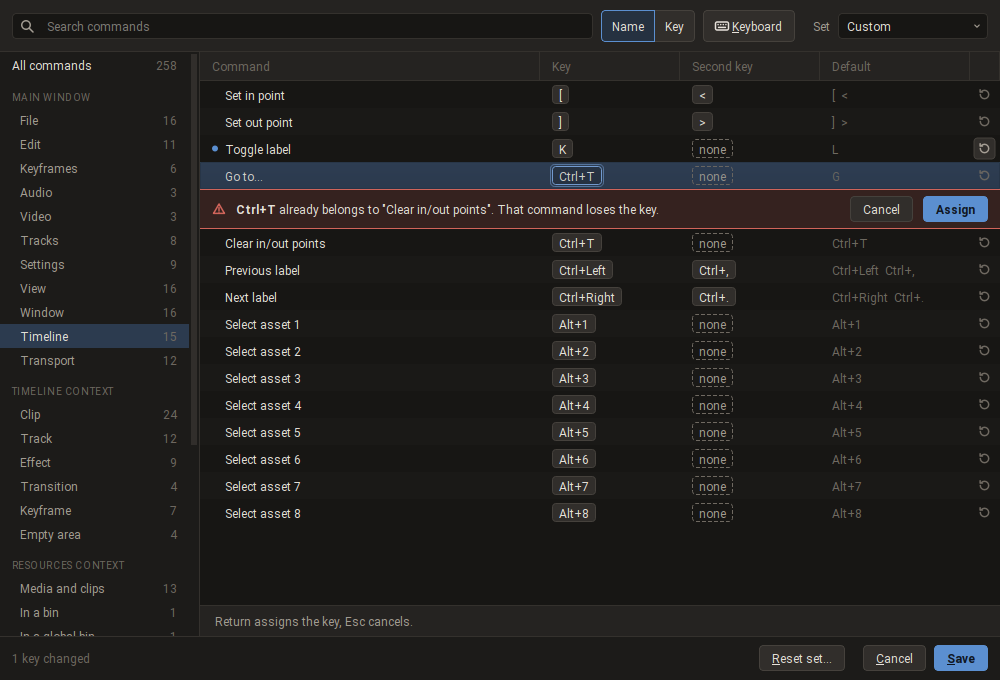
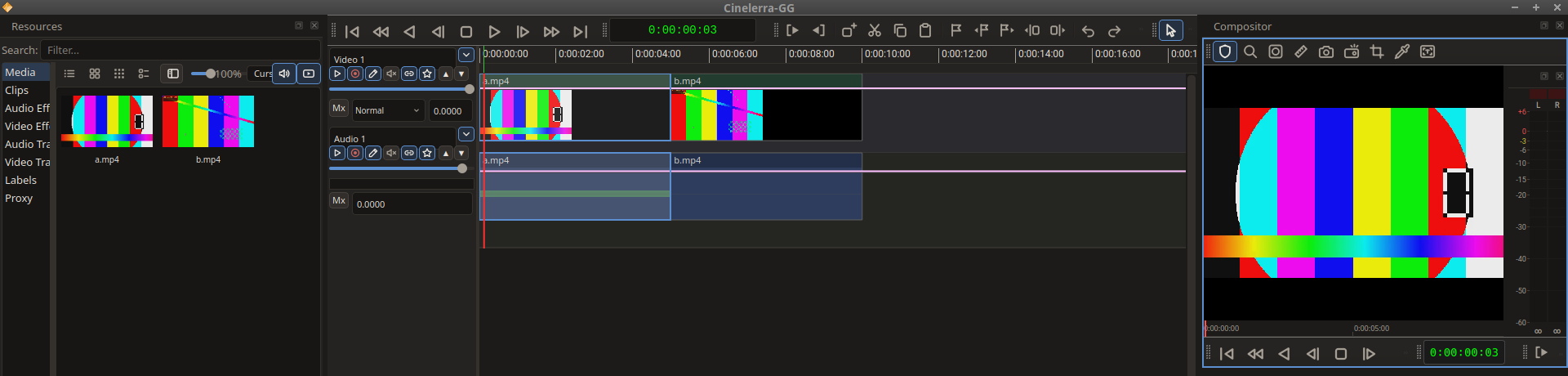
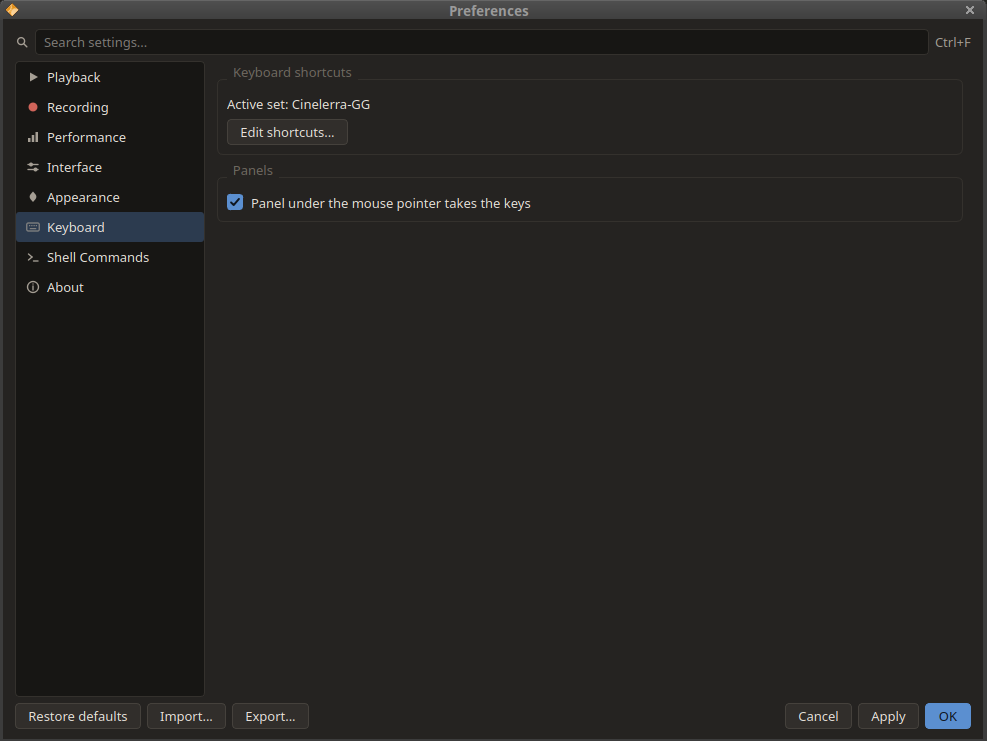
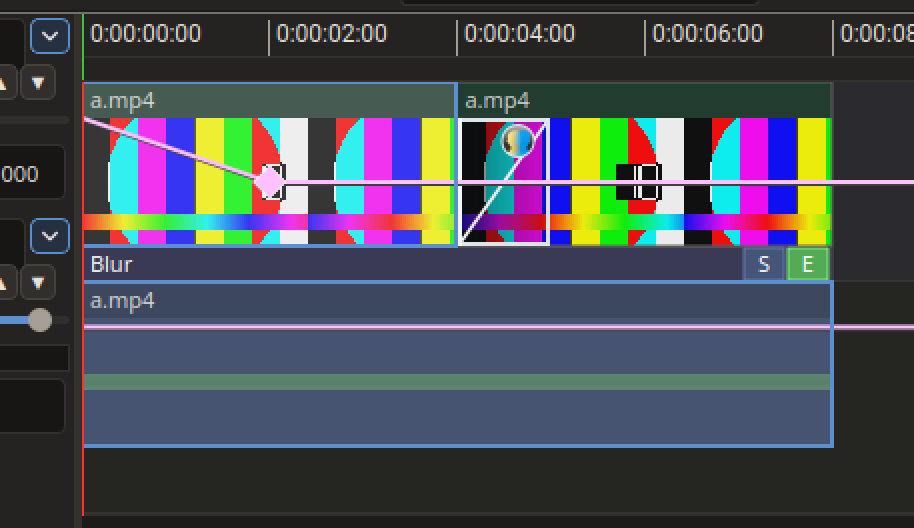
Cinelerra-GG Qt6 alpha: keyboard shortcuts can now be edited Hi everyone, The Cinelerra-GG Qt6 alpha AppImage of October 10 brings one change that touches everybody who works with the keyboard, so here is a short tour with pictures. * AppImage: https://download.cinelerra-gg.org/?path=qt6-alpha * Source: https://git.cinelerra-gg.org/sam/cinelerra-gg-qt6.git <https://git.cinelerra-gg.org/?p=sam/cinelerra-gg-qt6.git;a=summary> 1. A shortcut editor *Settings → Keyboard Shortcuts…* opens it, and so does the button "Edit shortcuts…" in *Preferences → Keyboard*. Shortcut editor with the drawn keyboard * All 258 commands are in one list, grouped by area: the menus of the main window, the panels (Viewer, Compositor, Resources), and the context menus of the timeline and of the Resources window. * Every command can have two keys. The column "Default" shows what Cinelerra-GG uses out of the box, and the arrow at the end of a row puts that back. * A click on a key field records a new key. Esc cancels, Del clears. * The search field finds a command by name, or, switched to "Key", by the key you press. In the picture below four commands use Space, one in each area. * The built-in set "Cinelerra-GG" stays as it is. Your first change starts a set "Custom". "Reset set…" goes back to the defaults. Search by key: four commands use Space 2. A drawn keyboard The button "Keyboard" shows a keyboard above the list. Keys with a command are blue, free keys are grey. Hold Ctrl, Shift or Alt and the picture changes to the keys taken with that modifier. Point at a key to read its command, click it to filter the list. German and US layout can be chosen. The drawn keyboard with Ctrl held 3. Conflicts are shown before they happen If the key you record already belongs to another command, the editor says which one and asks. "Assign" moves the key, the other command loses it. Nothing is overwritten silently. The editor reports a key conflict 4. Keys follow the active panel The same key can mean different things in the Viewer, the Compositor and the timeline. The panel you clicked last gets the keys, and a thin blue frame marks it. In the picture it is the Compositor at the top right: Space plays there, not on the timeline. The blue frame marks the active panel, here the Compositor Preferences → Keyboard has a switch "Panel under the mouse pointer takes the keys" for those who prefer that. Preferences, page Keyboard 5. Context keys on the timeline and in the Resources window The commands of the right-click menus can be run by key. The clip, track, effect, transition or keyframe you clicked last is marked and is the target: Del removes exactly that object, Ctrl+X cuts it, and so on. 60 timeline commands are in the editor under "Timeline context". Most of them have no key yet, so you can give them the ones you like. The context menus of the Resources window work the same way. The clicked clip is marked as the target of the keys What I would like to hear from you * Keys that do nothing, or do the wrong thing in one panel. * Menu keys that differ from the stable Cinelerra-GG. They should be the same, and a difference is a bug. * Commands you miss in the list. Please report in the bug tracker at https://bug.cinelerra-gg.org with the category *Qt6 Alpha*. This is an alpha, please do not use it for real projects. It shares the settings folder |~/.bcast5| with the stable version, so copy that folder before the first start. The editor pictures show an example set in which "Toggle label" was moved from L to K.
participants (1)
-
 Sam
Sam